The Rating Form Completion Report is designed to help districts monitor the completion and finalization of all 13 rating forms. The report provides a list of rating forms that have been completed, indicates which signatures have been completed and/or are missing, and indicates which users do not have a completed rating form for the given school year.
District Admins can use this report to view...
- Signatures - All signatures added to completed 13 rating forms across the district, and
- Users Without Completed Forms - A list of users who do not have any completed 13 rating forms.
In addition, Principals and NTP supervisors can view the Signatures Tab for all 13 rating forms for which they are the associated evaluator.
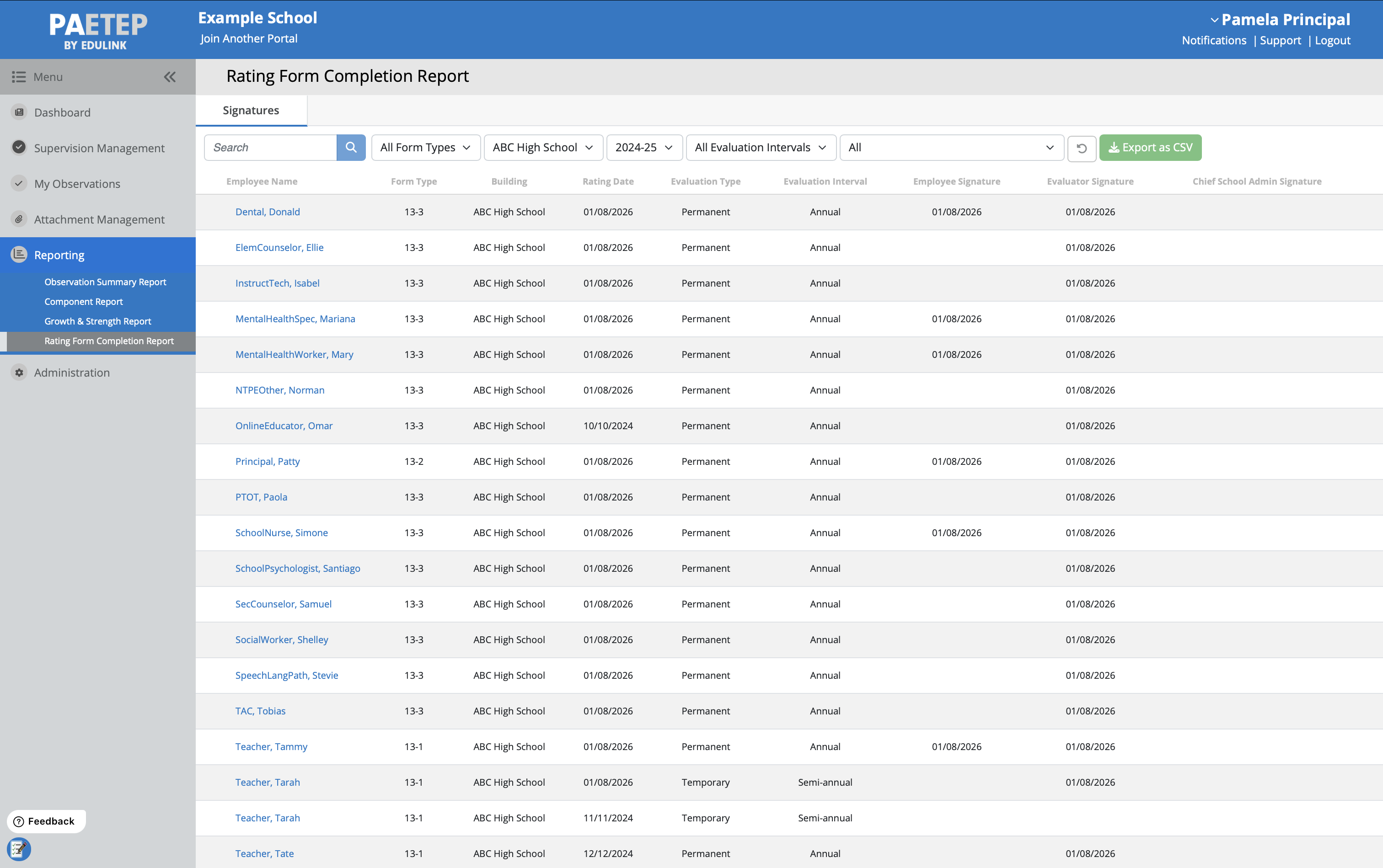
Table Of Contents
- Accessing the Report
- Signatures Tab
- Users Without Completed Forms Tab (District Admin Only)
- Frequently Asked Questions (FAQs)
Accessing the Report
1. Log into PAETEP
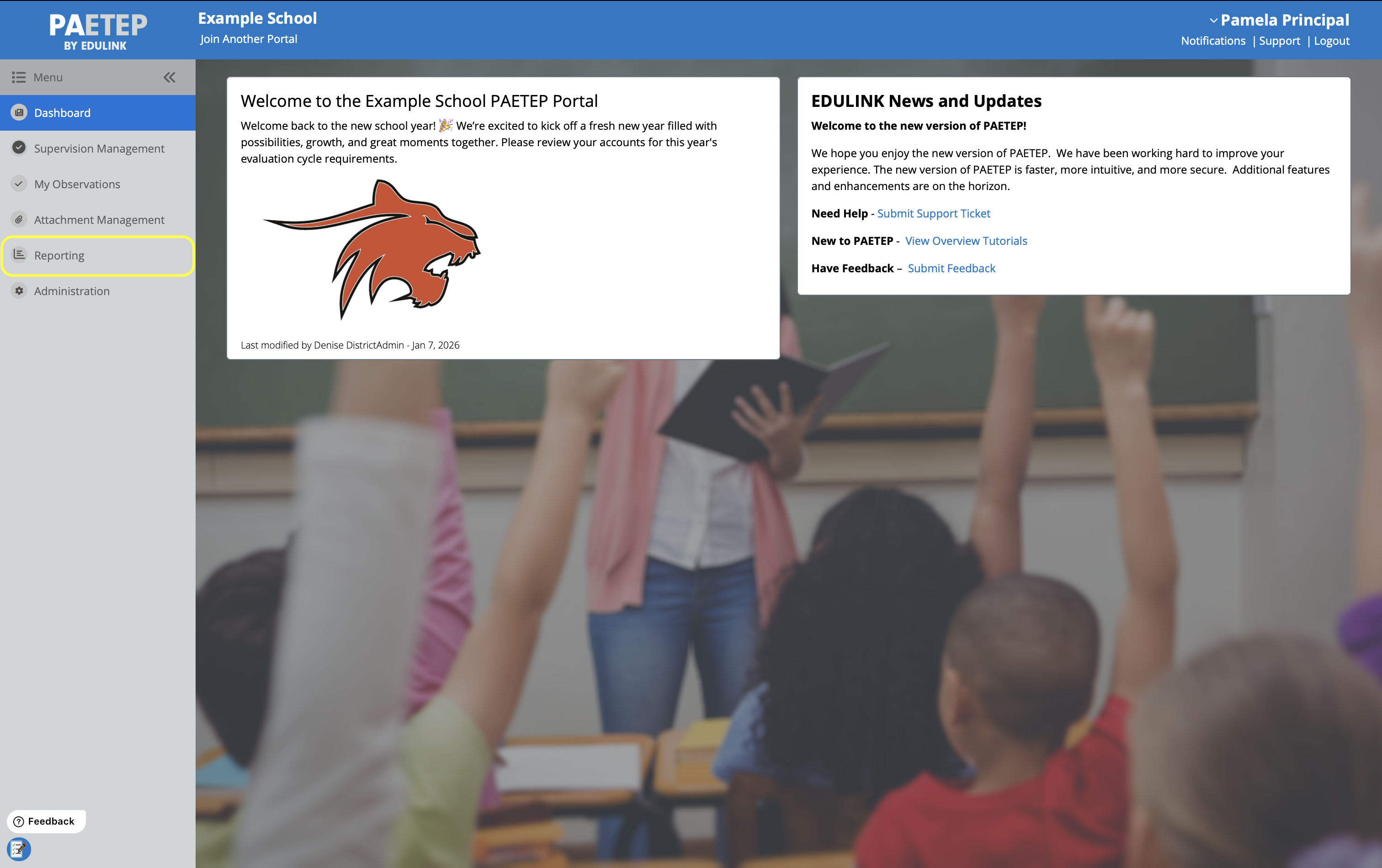
2. Navigate to the Reporting tab in the left-hand navigation menu
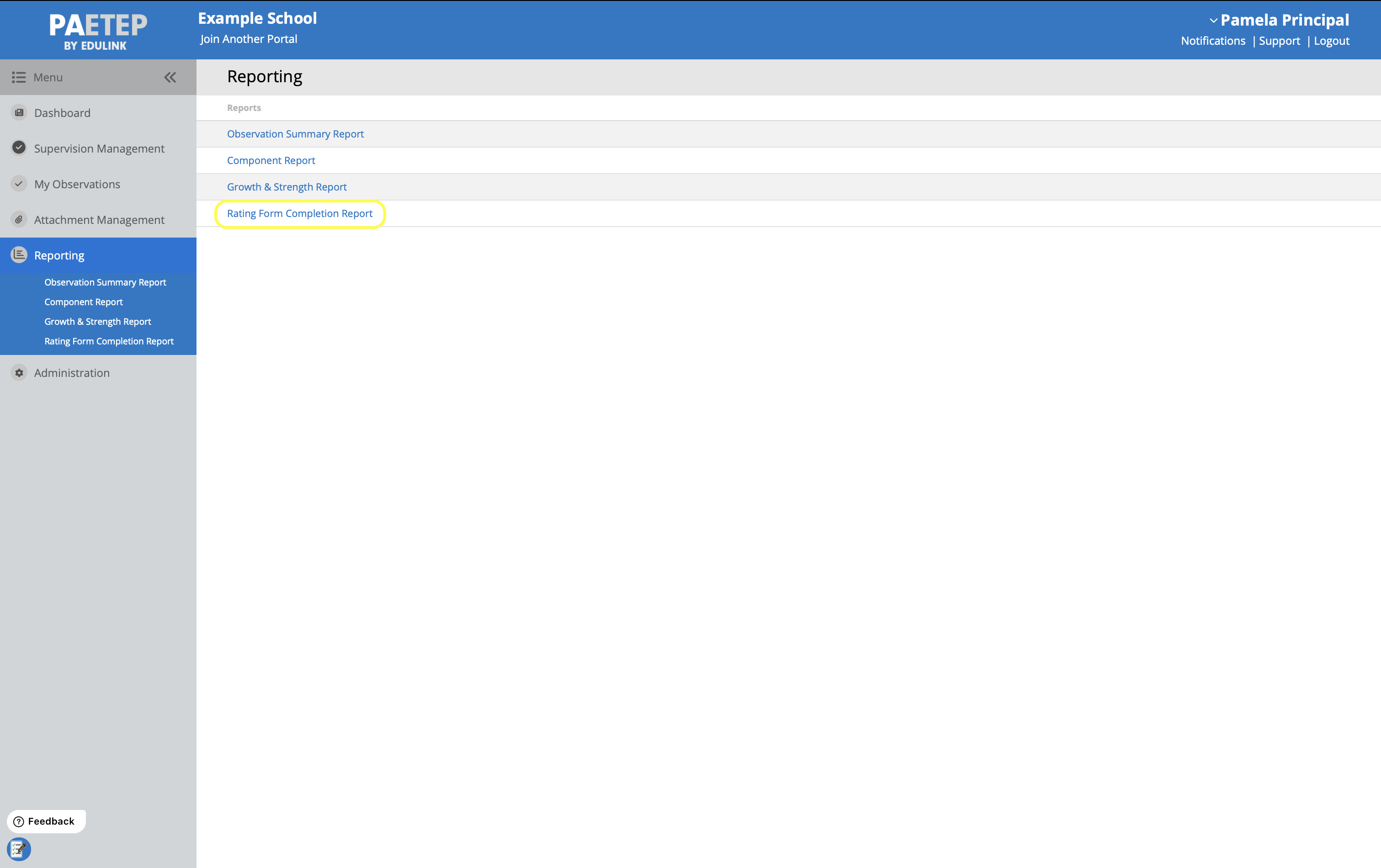
3. Select Rating Form Completion Report from the list of available reports
Signatures Tab
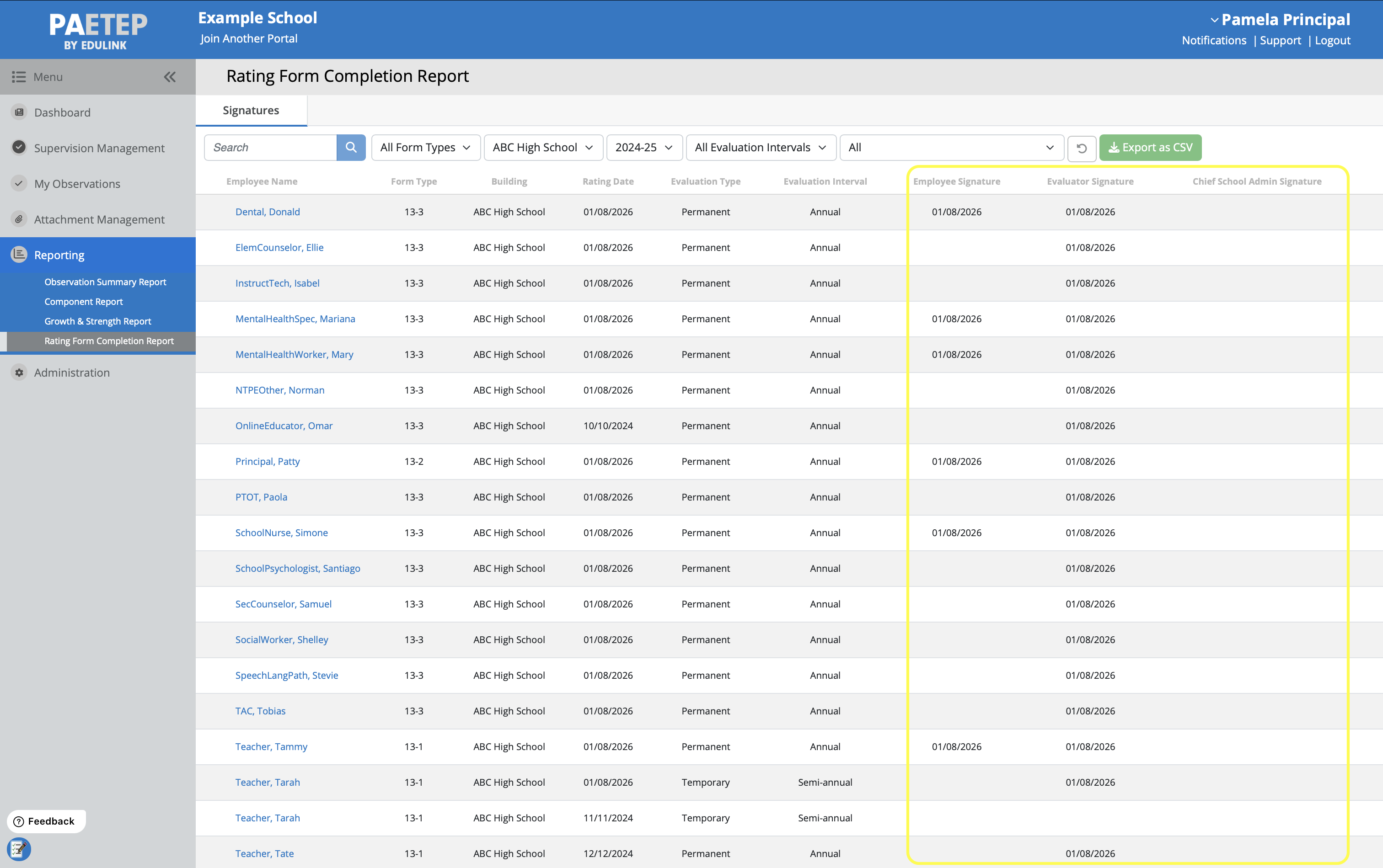
The Signatures Tab of the Rating Form Completion Report displays data from all completed 13 Rating forms for the selected school year.
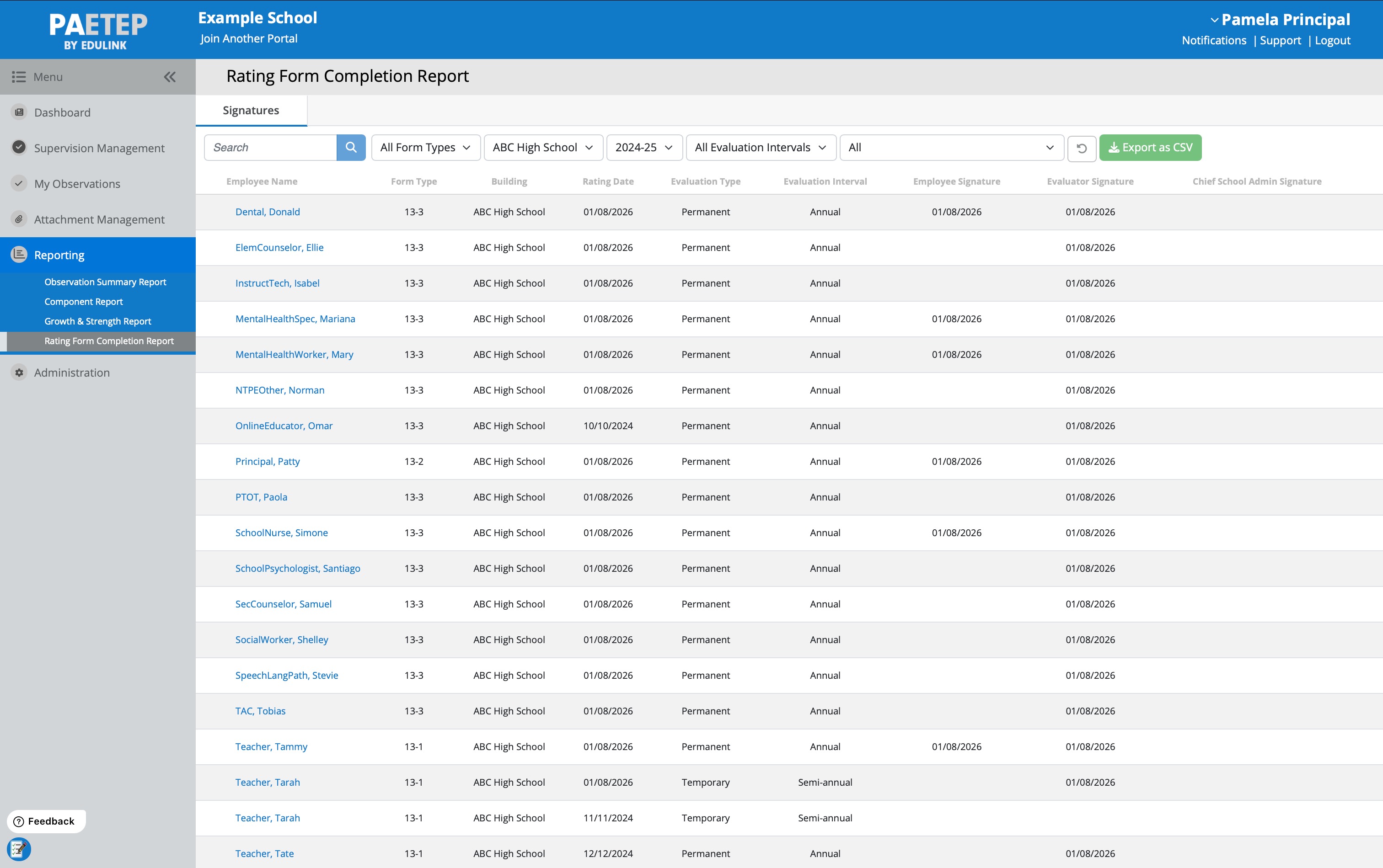
For each form, the following data is provided on the report
- Associated Employee Name
- Form Type (i.e. 13-1, 13-2, 13-3, 13-4)
- Form associated Building
- Rating Date
- Evaluation Type (Professional, Temporary)
- Evaluation Interval (Annual, Semi-Annual)
- Employee Signature (Date Signed)
- Evaluator Signature (Date Signed)
- Chief School Admin Signature (Date Signed)
Note that only completed 13 rating forms are included in the signature summary. If multiple 13 rating forms exist for a user in the selected school year, the report displays each completed form individually.
District Admins will have access to all completed 13 rating forms across the district, whereas Principals and NTP Supervisors will only see the forms in which they are the associated supervisor.
This report can be used to quickly determine which forms are missing signatures. Use the various search/filter options to return the appropriate data for review.
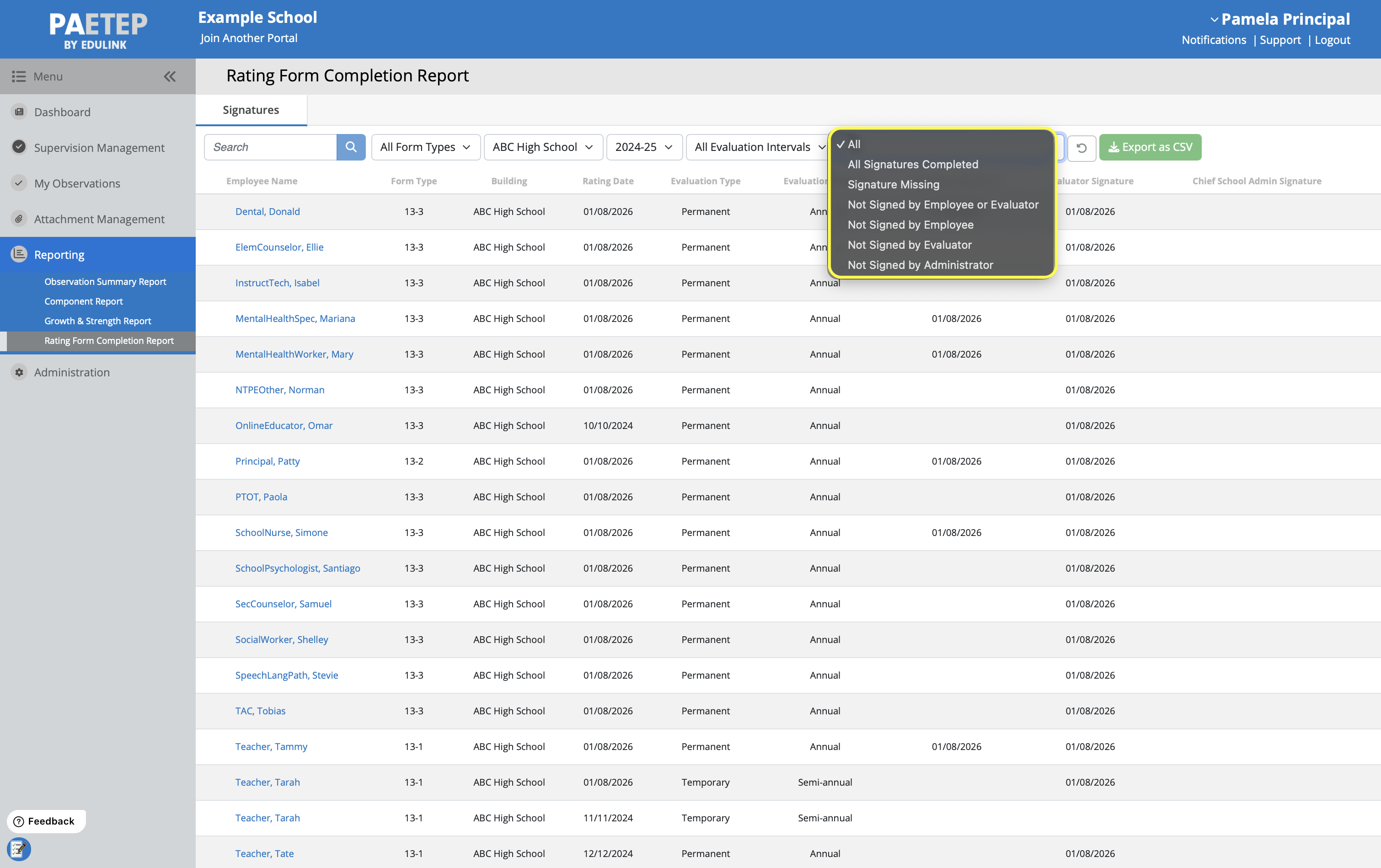
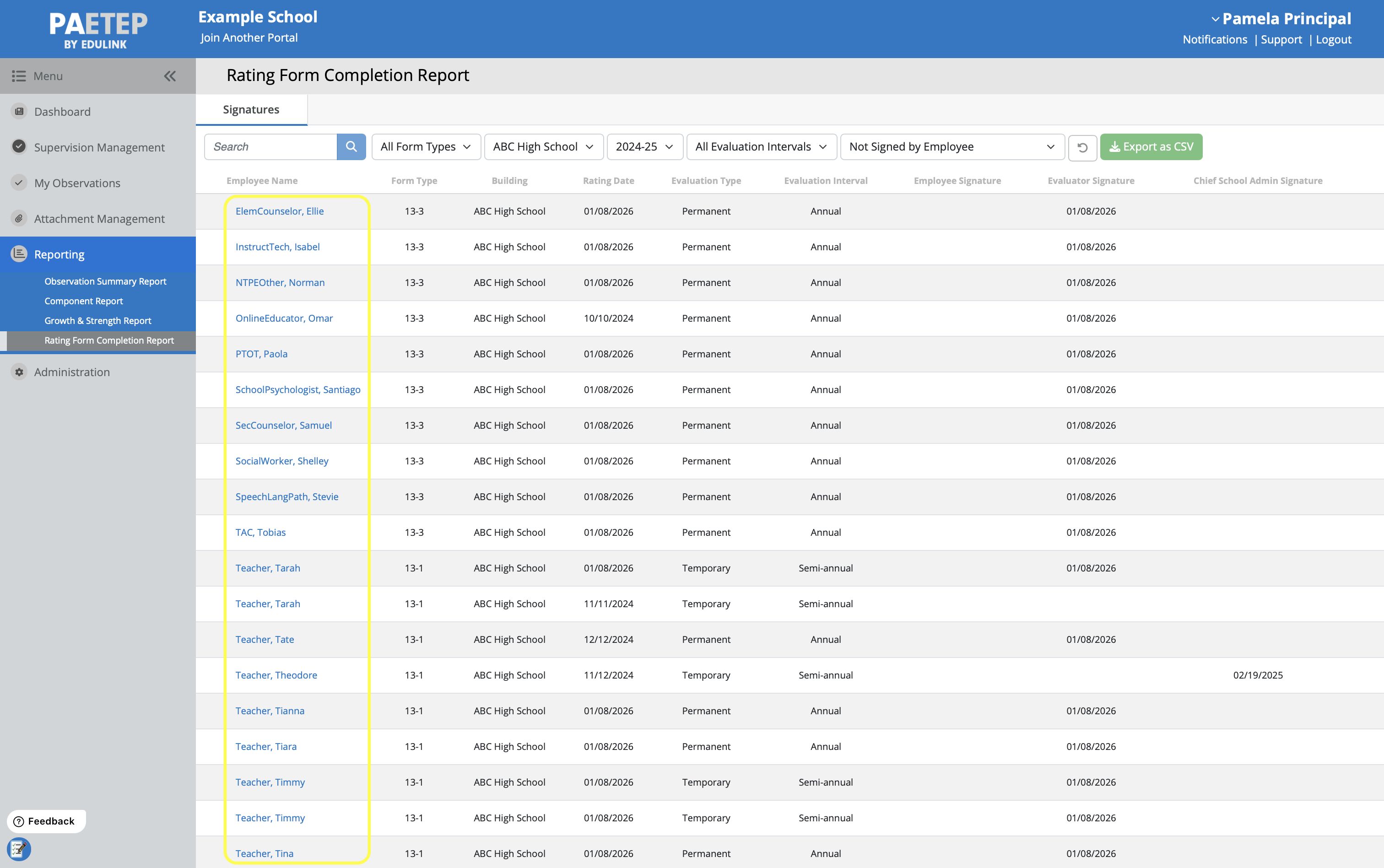
In particular, you can use the Signature Status Filter to view forms in which a particular user(s) has not signed the rating form.
On this report, you can click on the employee’s name to open up the associated 13 rating form.
In addition, this report can be Exported as CSV for further analysis and for sharing with other administrators.
Users Without Completed Forms Tab (District Admin Only)
The Users Without Completed Forms Tab displays all users across the district who do not have any completed rating form for the selected school year. This report will help determine which employees are still in need of receiving a final evaluation. Only educators with roles that fall under act 13 shall appear on this report (i.e. Teachers, Non-Teaching Professionals, Principals, and NTP Supervisors).
According to PDE, Physical Therapists/Occupational Therapists (PT/OTs) are licensed professionals that do not fall under Act 13. However, an LEA may choose to evaluate a PT/OT under Act 13. These individuals will appear on this report as a Non-Teaching Professional.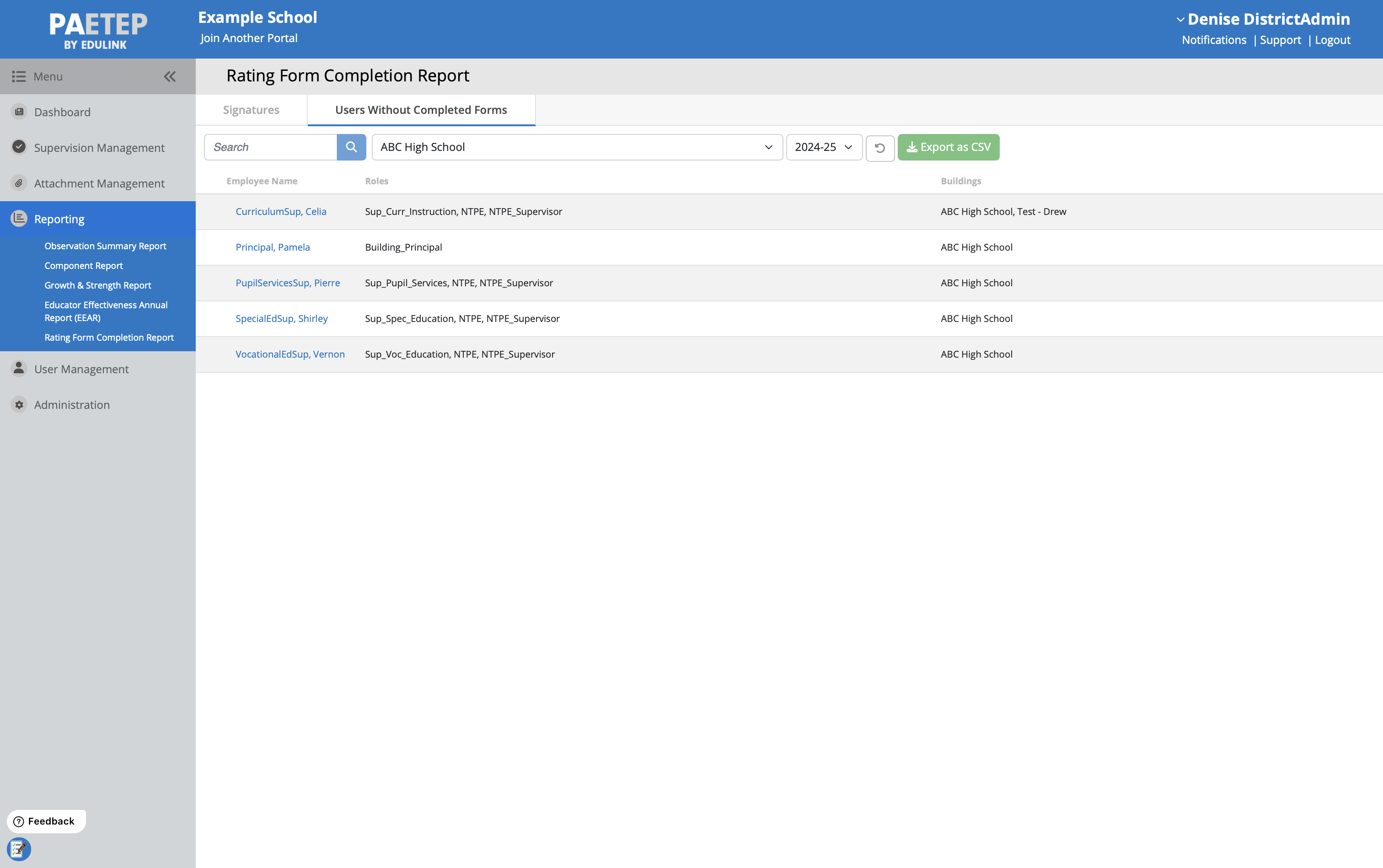
On this report, you can click on the employee’s name to open up that employee’s user summary page. From here, a new rating form can be initiated.
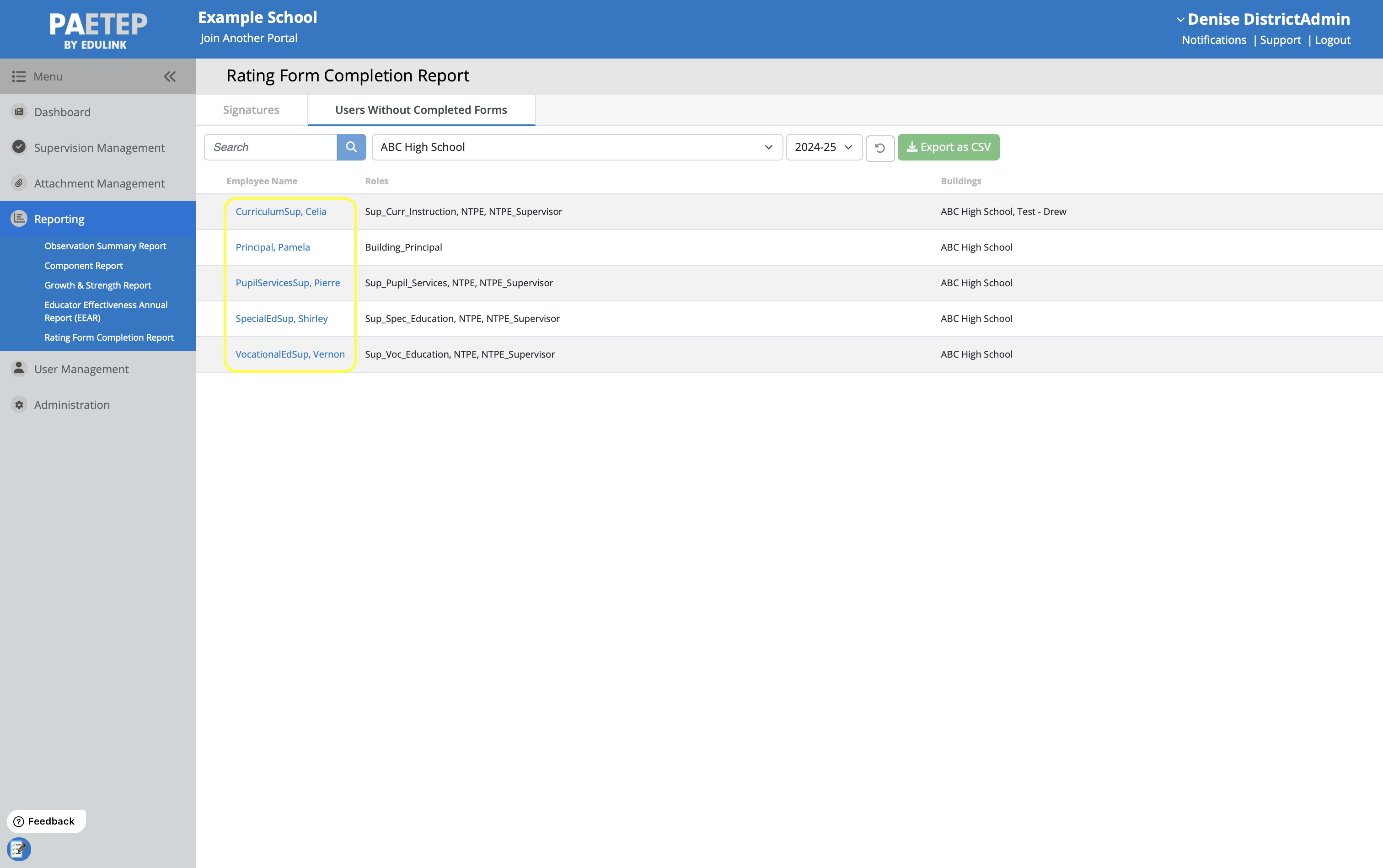
In addition, this report can be Exported as CSV for further analysis and for sharing with other administrators.
Be sure to confirm that non-tenured users have 2 completed semi-annual rating forms for a given school year. This can be done from the Signatures Tab of this report, or on that individual's user summary page.

Additionally, employees who have received a 13-4 interim rating form should be reviewed individually to ensure that their requirements are met.
Frequently Asked Questions (FAQs)
Q: Why is a user missing from the Signatures Tab of this report?
A user will only appear in the signatures tab of this report if at least one 13 rating form has been completed. If a user’s form is in draft, it will not appear in the signatures report.
Ensure that a form has been completed by checking their evaluation records on their user summary page.
If you are a Principal or NTP Supervisor, please note that only forms for which you are the associated supervisor will appear on this report. Please review the Supervision Management page and/or the employee’s user summary page for record of completed forms by other supervisors.
If you still have questions, please Submit a Ticket.
Was this article helpful?
That’s Great!
Thank you for your feedback
Sorry! We couldn't be helpful
Thank you for your feedback
Feedback sent
We appreciate your effort and will try to fix the article