The Evaluator Completion Report helps District Administrators review completed PAETEP items across the district by evaluator and observation type. Use it to see completed activity for a selected time period, focus on an evaluator or building assignment, and export the displayed results.
Table Of Contents
Review completed evaluator activity
Note - This report is accessible to any user with a District Administrator role in PAETEP.Open Reporting and select Evaluator Completion Report.
Choose a Completion Date range. Quick selections are available for Week, Month, and School Year.
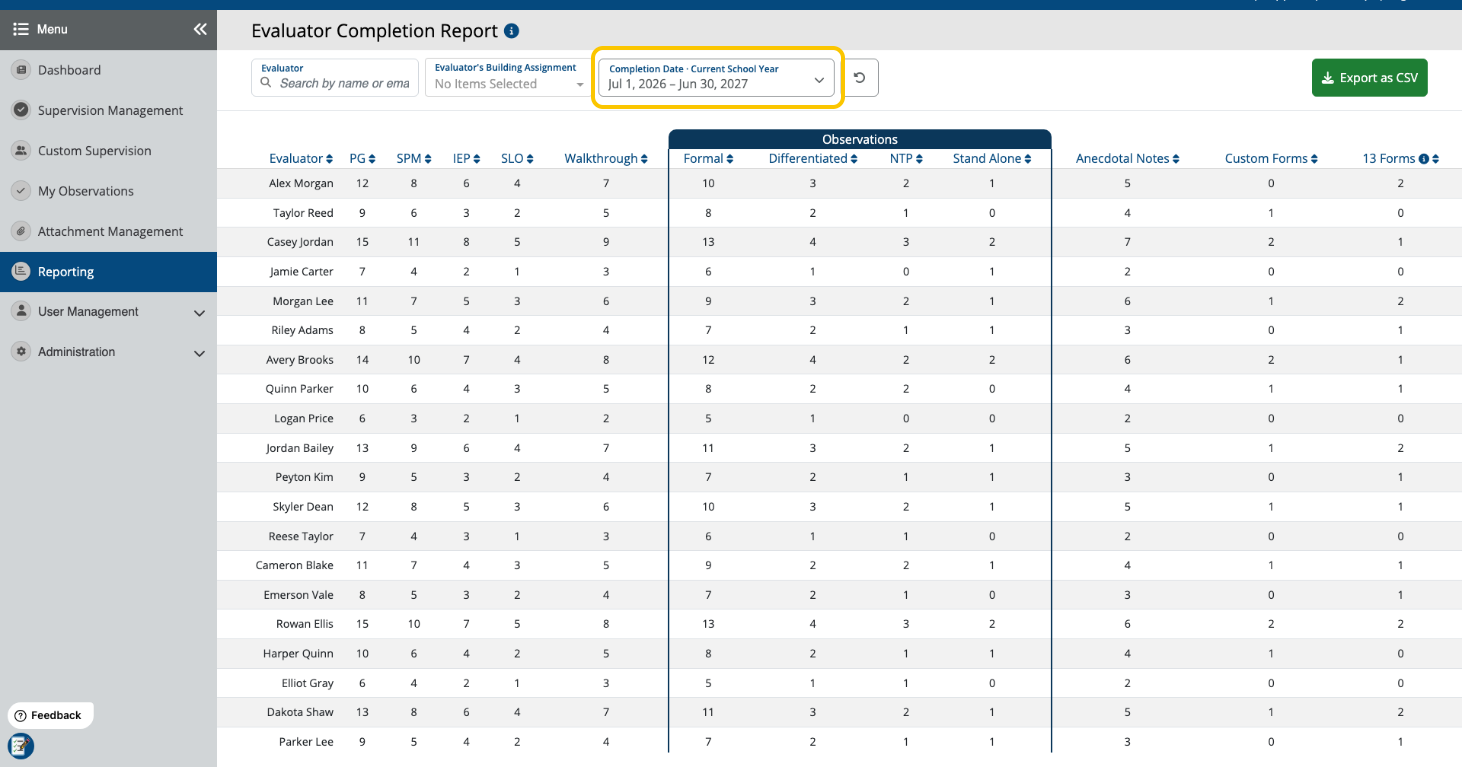
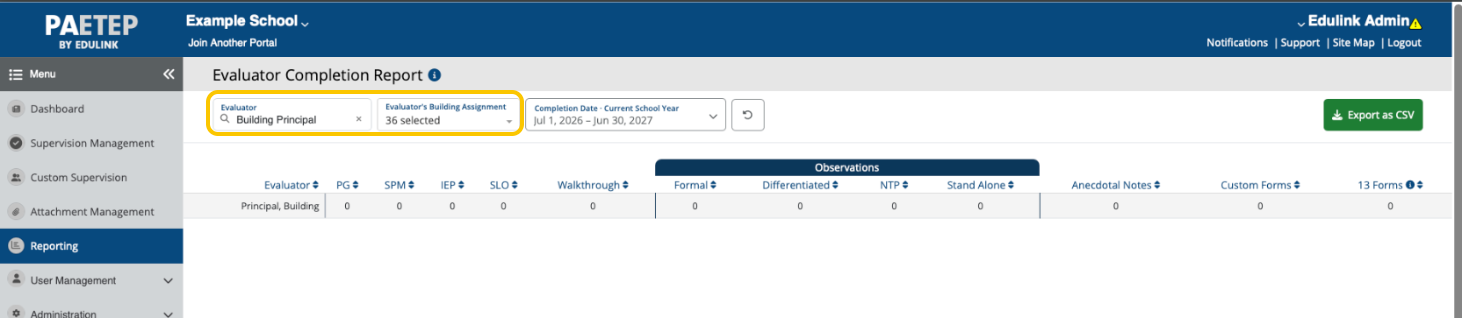
For more advanced filtering options, use the Evaluator Picker to filter the report and view a single evaluator's progress, or use Evaluator’s Building Assignment to filter the report to evaluators assigned to the selected buildings. This filter can include unassigned evaluators and can be used to exclude evaluators assigned to Archived Building.
Important:
The report includes completed items, including items completed through Custom Supervision, in the selected completion-date range. Deleted items are not included. Building-assignment filtering determines which evaluators appear; it does not change the completed-item counts for an evaluator who remains in the results.
Export the results
Select Export as CSV to download the displayed table. The export uses the same evaluator, building-assignment, and completion-date filters currently applied to the report.

Was this article helpful?
That’s Great!
Thank you for your feedback
Sorry! We couldn't be helpful
Thank you for your feedback
Feedback sent
We appreciate your effort and will try to fix the article